Army Agniveer Admit Card 2026 OUT at joinindianarmy.nic.in: Direct Link to Download CEE Hall Ticket PDF
Army Agniveer Admit Card 2026: The Indian Army has released the Agniveer admit cards 2026 on its official website- joinindianarmy.nic.in. The online CEE is scheduled to be conducted from June 1 to June 15, 2026. Candidates can check the direct link and steps to download the Army Agniveer admit card 2026 here.
Show Key Points
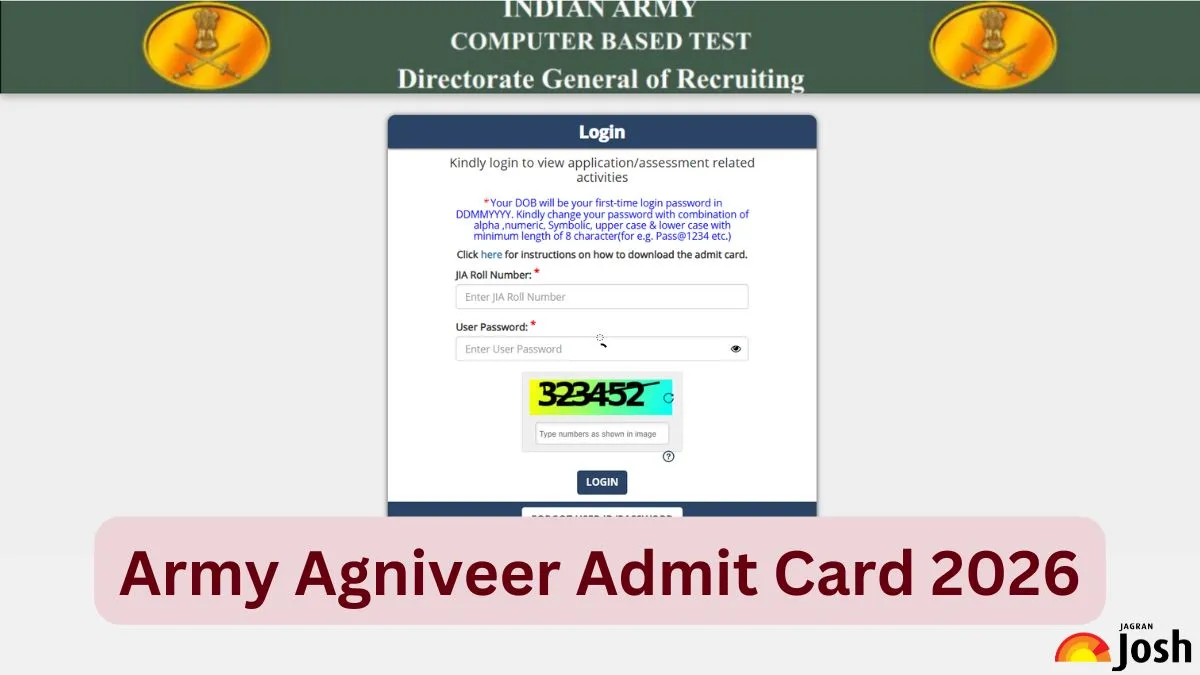
The Indian Army has released the Army Agniveer Admit Card for Common Entrance Exam (CEE). The Agniveer hall ticket has been released online on the official website of the commission- joinindianarmy.nic.in. The online CEE is scheduled to be conducted from June 1 to June 15, 2026 for various entries like General Duty, Tradesman, Technical, Clerk/Store Keeper, and GD Women MP. All the candidates who are going to appear in the CEE can check and download their Army Agniveer admit cards using the direct link provided below once it is officially released. To download the Army Agniveer admit card PDF, students need to enter their registration number, password and security pin.
Check, Army Agniveer GK Important Questions 2026 with Answers
Army Agniveer General Science Important Questions 2026 with Solutions
Army Agniveer Admit Card 2026 Download Link
The Indian Army has released the Agniveer CEE admit card on May 15, 2026. So, candidates are advised to go to the official website to download the Agniveer Admit Card. Here we are also providing the direct link to download the admit card PDF. Candidates are advised to carry their admit card along with a valid photo identity proof to the examination centre.
| Army Agniveer Admit Card 2026 Download Link |
Check, Army Agniveer Logical Reasoning Important Questions 2026 with Answers
Army Agniveer 2026 Maths Important Questions with Solutions
How to Download Army Agniveer 2026 Admit Card PDF?
The candidates need to follow below mentioned steps to know how to download the Army Agniveer admit card 2026:
Step 1: Visit the official website of the Indian Army- joinindianarmy.nic.in
Step 2: Click on ‘Army Agniveer 2026 Admit Card Download Link’
Step 3: Fill in all the details like registration number, password and security pin and click on ‘Submit’.
Step 4: The Admit Card will appear on the screen.
Step 5: Download and print the admit card PDF.
Details Mentioned on Army Agniveer Hall Ticket 2026
The Army Agniveer admit card 2026 will contain the candidate's personal information and examination details. The admit card will contain the following details of the candidates.
-
Name of the Candidates
-
Examination Name
-
Registration Number
-
Photograph and Signature of Candidate
-
Roll Number
-
Father Name
-
Examination Centre
-
Examination Date and Time
-
Gender
How to rectify the errors in Army Agniveer Admit Card 2025?
Once the admit card is downloaded the candidate must check all the information mentioned in it. If there is any discrepancy in the Army Agniveer admit card, the candidate must contact the exam conducting authority and get it rectified as soon as possible. The authority will provide the contact details along with the Army Agniveer admit card or you can also connect using the following connect details:
-
Phone No: 022-61087515, 011-25686451
-
Email Id: onlineceehelpdesk@gmail.com
The Army Agniveer Candidate Helpdesk is available by phone, Monday to Saturday from 9:00 a.m. to 6:00 p.m., and is closed on Sundays and on National/Public holidays.
Problems in downloading the Army Agniveer 2025 admit card
If any candidate faces any issues in downloading the Army Agniveer admit card 2025. He/She must do the following things before connecting with the exam conducting authority.
-
Close your Internet browser and try again.
-
Ensure you have a stable internet connection.
-
Use Mozilla Firefox and Google Chrome browsers to download the admit card.
-
Clear the history and cache and refresh the page.
What if a candidate forgot his login credentials?
If a candidate forgets his login details, he needs to follow the below-mentioned steps to reset the password:
Step 1: Click on “FORGOT CREDENTIALS”.
Step 2: Enter the enrollment Id/email address and registered mobile number.
Step 3: Click on “SEND OTP”
Step 4: An OTP will be sent to the registered email address/mobile number of the candidates.
Step 5: Enter the OTP and reset the password.
Enter your Blink text here...

Sunil Sharma is an edtech professional with over 12 years of experience in the education domain. He holds an M.Sc. in Mathematics from Chaudhary Charan Singh University, Meerut. He has worked as an Subject Matter Expert (SME) at Vriti Infocom Private Limited. and later joined Aakash Edutech Private Limited. At Jagran New Media, he writes for the Exam Prep section of JagranJosh.com.
Sunil has expertise in Quantitative Aptitude, Logical Reasoning, and English, making him a versatile professional in the education and test preparation sector. He has created content for various management exams CAT, XAT and also for exams such as CUET etc