

Key Points
- BSE Telangana released the TS SSC Exam 2026 hall tickets today, February 2, 2026.
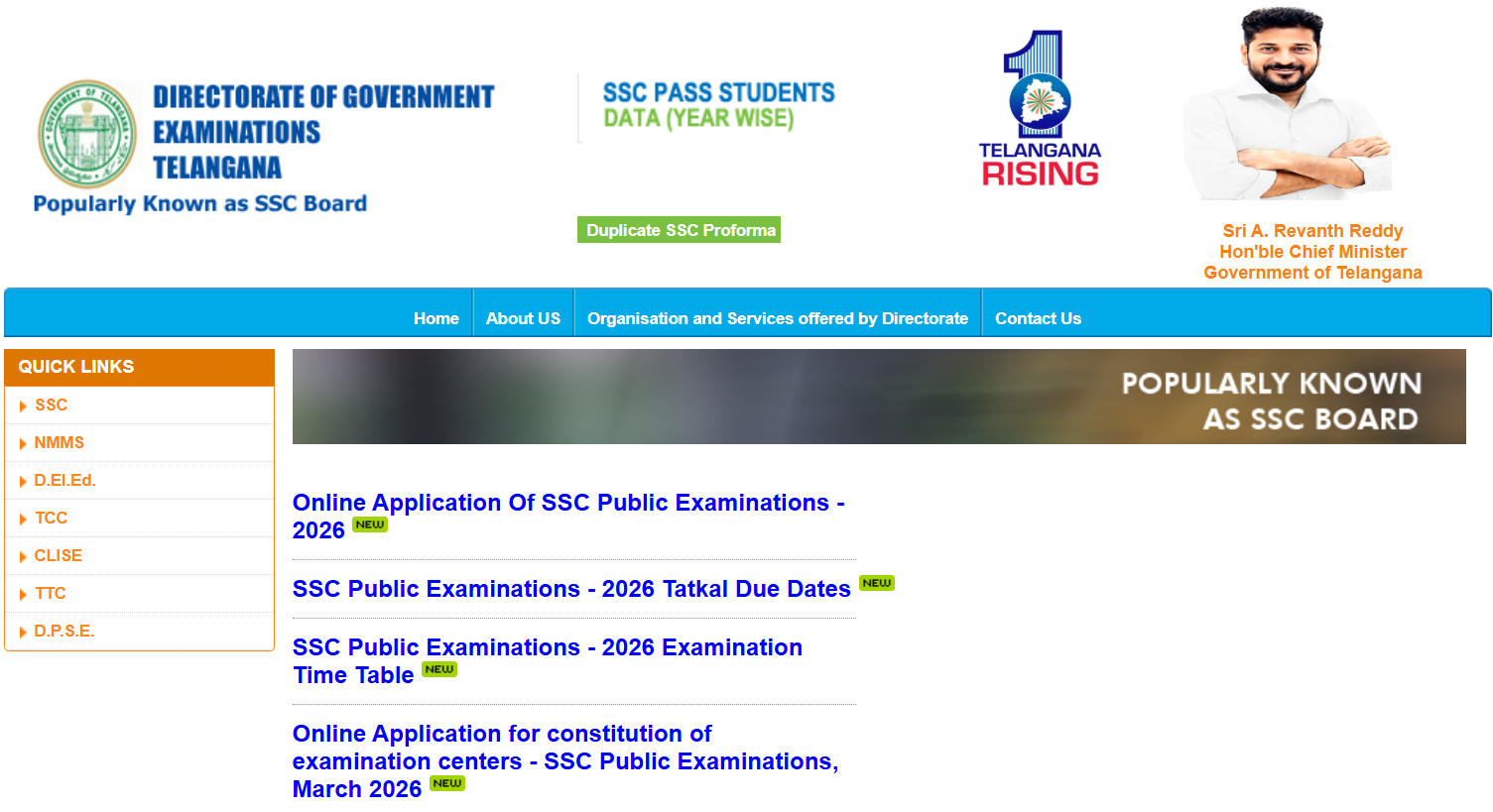
- Schools must download the Class 10 admit cards on the official website at bse.telangana.gov.in.
- Candidates must bring the hall ticket to the exam hall.
TS SSC 2026: The Board of Secondary Education (BSE), Telangana has released the Telangana BSE Secondary School Certificate (SSC) Exam 2026 hall tickets for Regular, Private, Vocational and OSSC students today, February 2, 2026. School authorities across Telangana state are advised to visit the official website to download the class 10th students’ admit cards online at bse.telangana.gov.in.
Students will not be able to check their admit cards online. Candidates must bring their TS SSC hall tickets 2026 to the exam hall to be allowed to take the exam. The particulars required to check the hall tickets are district and school from list, name and date of birth. According to the schedule, the TS SSC exams 2026 are scheduled between March 14 and April 16, 2026.
How to download Telangana SSC 2026 Admit Card?
School authorities across the state will need to follow the mentioned steps to download the BSE hall tickets 2026 for class 10th students:
- Visit the official website at bse.telangana.gov.in
- On the homepage, click on ‘SSC’
- Press on the hall ticket download link
- Press on the hall ticket link as per student type (Regular/ Private/ OSSC/ Vocational)
- Choose district and school from list
- Enter name and date of birth
- Telangana Board SSC 2026 hall ticket will appear
- Download BSE Telangana 10th class hall ticket and distribute
Information mentioned on TS SSC Exam 2026 Hall Ticket
Candidates and school authorities must ensure that the following details are correctly mentioned in TS SSC admit card:
- Student’s name
- TS 10th Hall ticket number
- Roll number
- District name
- Medium of exam
- Father’s name
- Mother’s name
- School name
- Centre name
- Date of birth
- Identification marks
- Timetable
- Student’s Photograph
- Student’s signature

Comments
All Comments (0)
Join the conversation