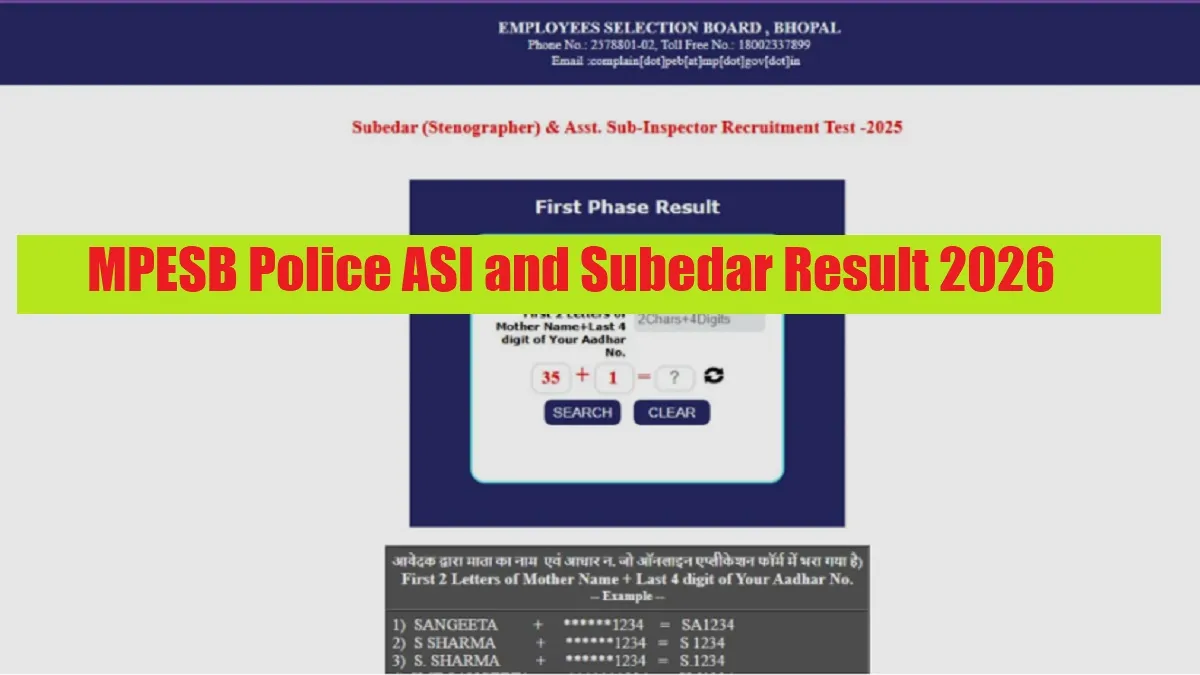
MP Police Subedar Result 2026: The Madhya Pradesh Staff Selection Board (MPESB) has released the MP Police Result 2026 for various posts including Police ASI (Assistant Sub-Inspector) and Subedar (Stenographer) on its official website. The MP Police ASI and Subedar Result 2026 PDF can be downloaded after using the login credentials to the link. A total of 500 posts are to be filled through the recruitment drive including Assistant Sub-Inspector (ASI) and Subedar (Stenographer) across the state.
Candidates who have qualified in the written exam are able to appear in the next round which is a physical test and document verification.
MPESB Police ASI and Subedar Result 2026 Download Link
Candidates can download the result pdf through the link at the official website. Alternatively you can download the same directly through the link given below-
| MPESB Police ASI and Subedar Result 2026 | Download Link |
MPESB Police ASI and Subedar Recruitment 2026 Overview
Earlier Madhya Pradesh Employees Selection Board had launched the recruitmnet drive for 500 Police ASI (Assistant Sub-Inspector) and Subedar (Stenographer) posts across the state. To help candidates quickly understand the key highlights of the recruitment drive, we’ve shared an overview of the same-
| Particulars | Details |
| Organization | Madhya Pradesh Employees Selection Board |
| Post Name | Police ASI (Assistant Sub-Inspector) and Subedar (Stenographer) |
| Total Vacancies | 500 |
| Exam Mode | Computer-Based Test (Online) |
| Next round | Physical test and document verification |
| Official Website | https://esb.mp.gov.in/ |
How to check the MPESB Police ASI and Subedar Result 2026?
Candidates who appeared in the written exam for the above posts can check their results and download the result pdf using the steps given below.
- First, visit the official website of MPESB.
- Click on First Phase Result - Subedar (Stenographer) & Asst. Sub-Inspector Recruitment Test -2025 on the home page.
- Then enter the Application Number and Date of Birth in DD/MM/YYYY format.
- You will have to use the first two letters of your mother's name + the last four digits of your Aadhaar number to the link accordingly.
- Your result will appear on the screen.
- Check your score and download the PDF.



Comments
All Comments (0)
Join the conversation