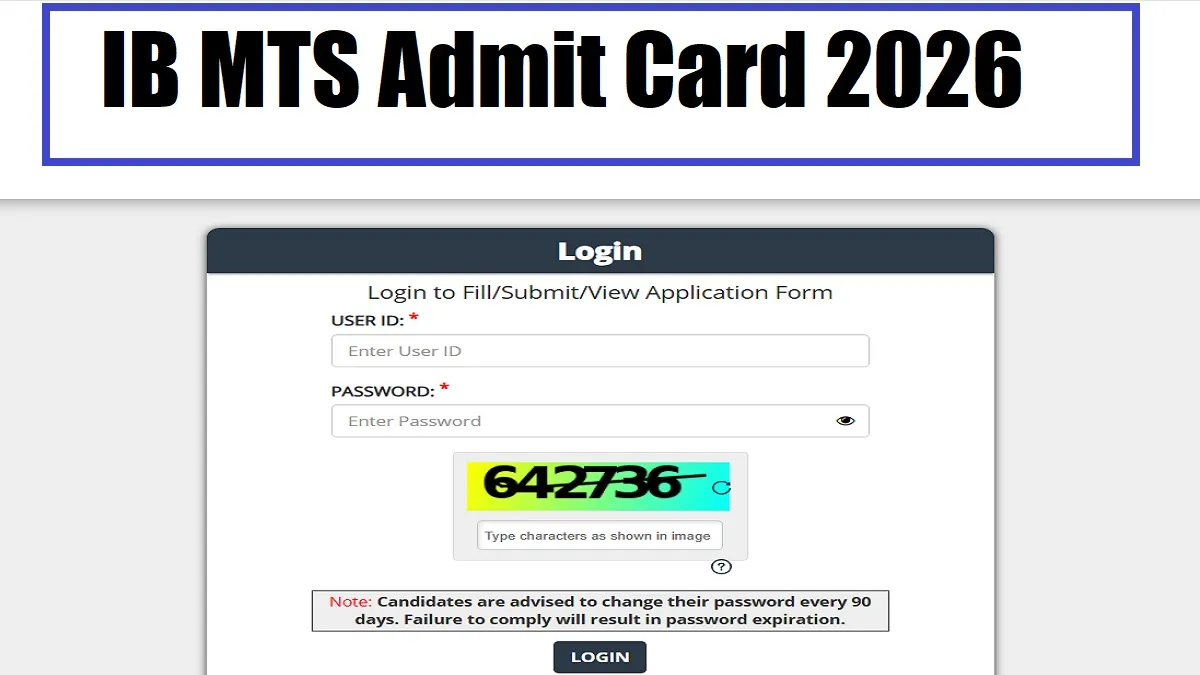
IB MTS Admit Card 2026 : The Intelligence Bureau (IB), under the Ministry of Home Affairs (MHA), expected to release the IB MTS Admit Card 2026 for the 362 Multitasking Staff (MTS) posts on January 23, 2026 across the country. The selection process for this much awaited recruitment drive consists of three stages including a written examination consisting of Tier-I and Tier-II followed by document verification. The written exam is scheduled on 27 January 2026 across the country.
However, there is no official announcement, it is expected that the link will be activated soon on the MHA and National Career Service portals at www.mha.gov.in and www.ncs.gov.in. Candidates can get here the admit card updates in the article below for clear and accurate information.
IB MTS Admit Card 2026 Download link
The Intelligence Bureau (IB) is expected to release the hall ticket for MTS posts soon on its official website. The hall ticket will be released in online mode and candidates will have to use their login credentials to the link at the MHA and National Career Service portals at www.mha.gov.in and www.ncs.gov.in. Once released, you can download the hall ticket directly through the link given below-
| IB MTS Admit Card 2026 | Download Link (Active Soon) |
IB MTS (Multi Tasking Staff) Admit Card 2026 Overview
A total of 362 Multitasking Staff (MTS) posts are to be filled through the recruitment drive. Under the selection process, candidates will have to appear for a written exam consisting of (Tier-I + Tier-II) followed by Document Verification. Check the overview of details related to IB MTS 2026 in the table below:
| Particulars | Details |
| Exam Name | IB Multi-Tasking Staff Examination 2025 |
| Conducting Body | Ministry of Home Affairs (MHA) |
| Total Vacancies | 362 |
| Admit Card Release Date | 23 January 2026(Expected) |
| IB MTS Exam Date | 27 January 2026 |
| Selection Process | Written Examination (Tier-I + Tier-II)/Document Verification |
| Official Website | mha.gov.in |
How to Download IB MTS Admit Card 2026 at mha.gov.in ?
Candidates can follow the simple steps given below to download the hall ticket-
- Step 1: First, visit the official website mha.gov.in.
- Step 2: Go to the recruitment section and scroll down MTS recruitment drive.
- Step 3: Go to "MTS Admit Card download link" on the homepage.
- Step 4: Now provide your login credentials to the link.
- Step 5: You will get your hall ticket in a new window.
- Step 6: Download your hall ticket and save the same for future reference.
How To Recover Forgotten Credentials to Download IB MTS Admit Card?
If you have lost or forgotten your login credentials to download the IB MTS Admit Card, no need to worry. You have a chance to recover your login credentials easily which are essential to download the hall ticket. You are required to follow the steps given below to retrieve the IB MTS Admit Card 2026 from the official website-
Step 1: First of all go to the official website and click on the “Forget Password” link displaying.
Step 2: Now provide your user id and other details to the link.
Step 3: Once clicking the “Submit” button, you will get the details of credentials to the registered Email ID/Phone Number.
Step 4: Now you have to create a strong password and log in with the new details to download the admit card.
What are the Details Mentioned on IB MTS Admit Card 2026 Candidate Must Check?
Candidates who have to appear in the written exam for 362 Multitasking Staff (MTS) posts are advised to download the admit card and go through the same which will have details regarding exam centre, timings, address, candidate’s roll number, name, date of birth, guardian’s name and other information. You should go through the details of your admit cards to ensure that all the details mentioned on the same are correct. You are advised to check all the crucial details and should inform the concerned authority in case of any error in the details, mentioned on the hall ticket. You will get the crucial details on the hall ticket such as-
- Candidate’s name and photo
- Date of birth
- Photograph of the candidate
- Signature of the candidate
- Examination venue
- Date and time of the examination
- Roll number
What to Do if the IB MTS Admit Card Is Not Downloading?
If you are facing difficulty in downloading the IB MTS Admit Card, there is no need to worry. Generally candidates used to face many unwanted issues during the downloading of IB MTS Admit Card. It may be some technical glitches or others which can hamper your process to download the hall ticket smoothly. Below are some common issues which can hamper your smooth functioning of downloading the hall ticket-
- Server Issues: It might be that the load of login a number of candidates for particular time and high traffic can make the website slow or unavailable.
- Incorrect Login Credentials: You are required to provide the login credentials as the same and without any change.
- Slow Internet Connection: The speed of the internet can also hamper downloading hall ticket prices and so you are advised to depend on a high speed internet connection in lieu of a poor one.
IB MTS Exam Pattern 2026
Under the selection process, candidates will have to appear in a written exam consisting of (Tier-I + Tier-II) followed by a Document Verification round. The Tier I exam is like a prelims round and candidates are required to qualify in the Tier I exam for the next round. Check the exam pattern in the table below:
| Section | Number of Questions | Marks | Duration |
| General Awareness | 40 | 40 | 1 Hour |
| Quantitative Aptitude | 20 | 20 | |
| Numerical / Analytical / Logical Ability & Reasoning | 20 | 20 | |
| English Language | 20 | 20 | |
| Total | 100 | 100 |



Comments
All Comments (0)
Join the conversation